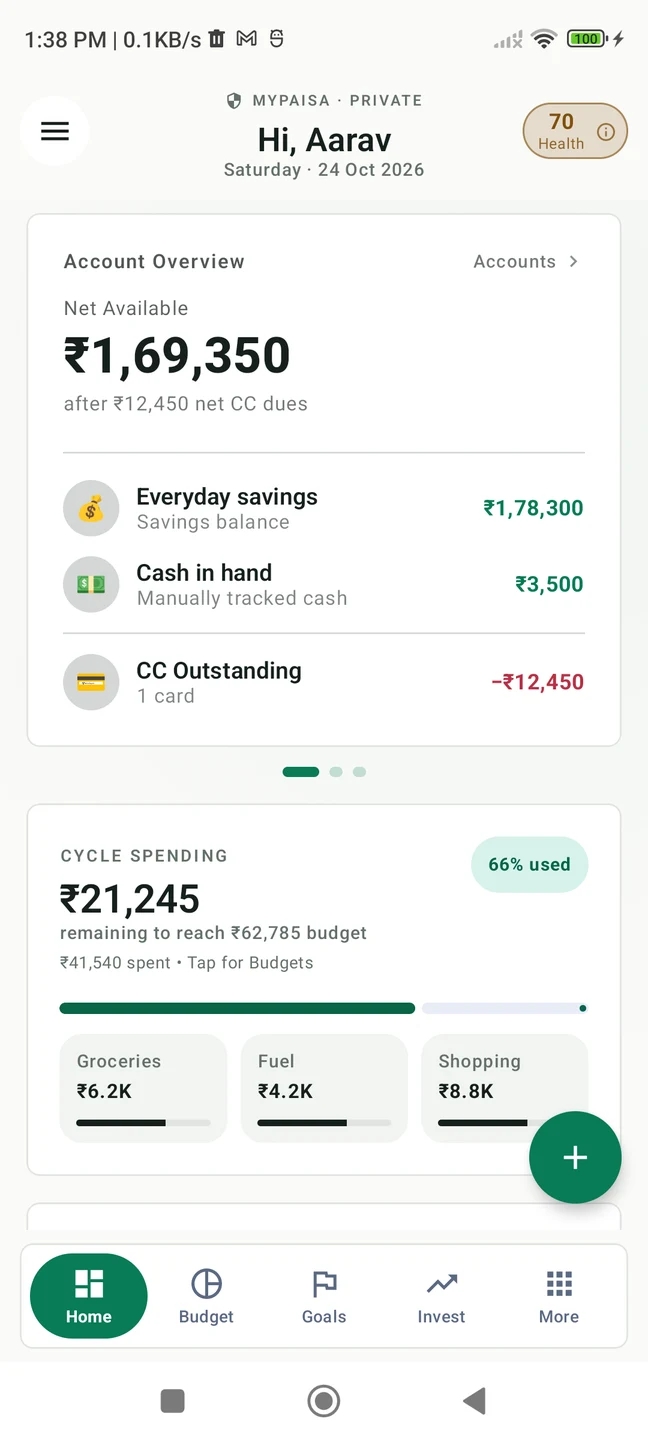
Keep scrolling. The phone takes you from a single expense to the bigger picture.
IN THE APPScroll to explore. Or use the arrows.
01 / 05 — Record
01 / RECORD
Lunch is over. Record it while it is fresh.
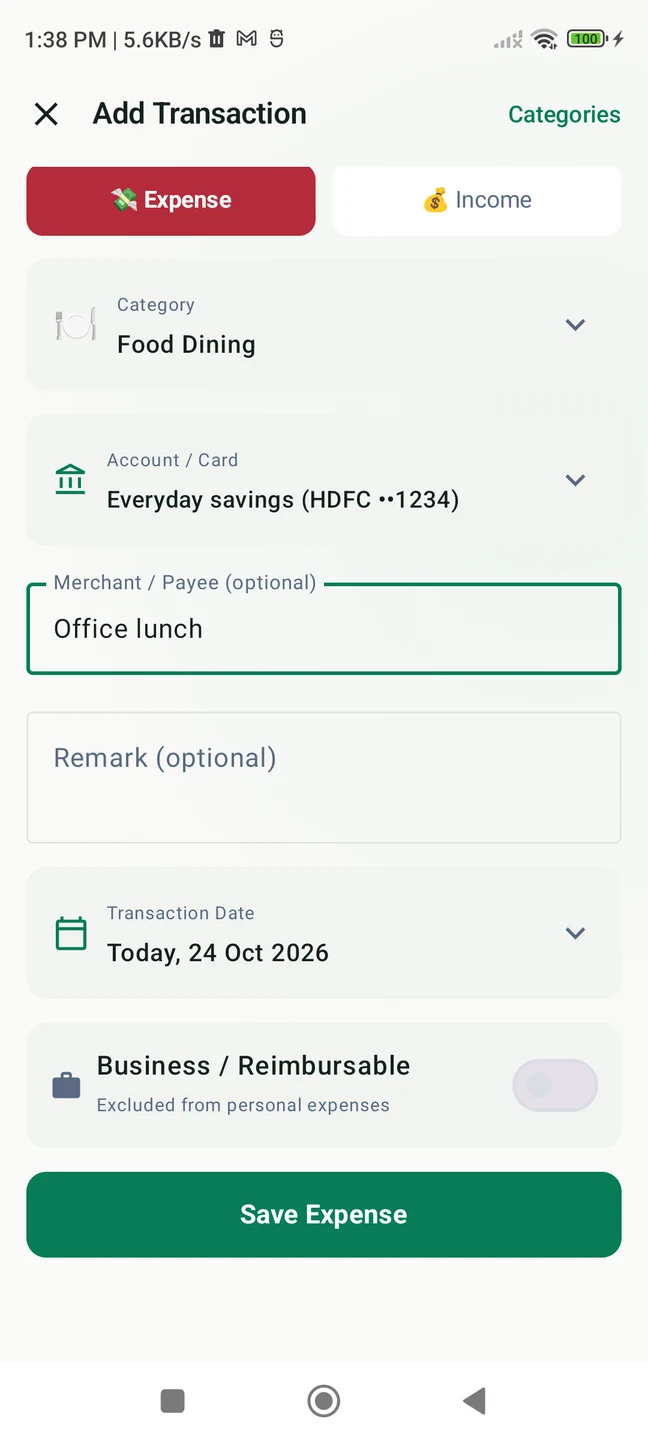
₹250 for an office lunch. Choose Food Dining, select the account you paid from and save. Cash purchases have a place here too.
₹250An everyday purchase, recorded with its category and account.
02 / REVIEW
Your bank text. Your final say.
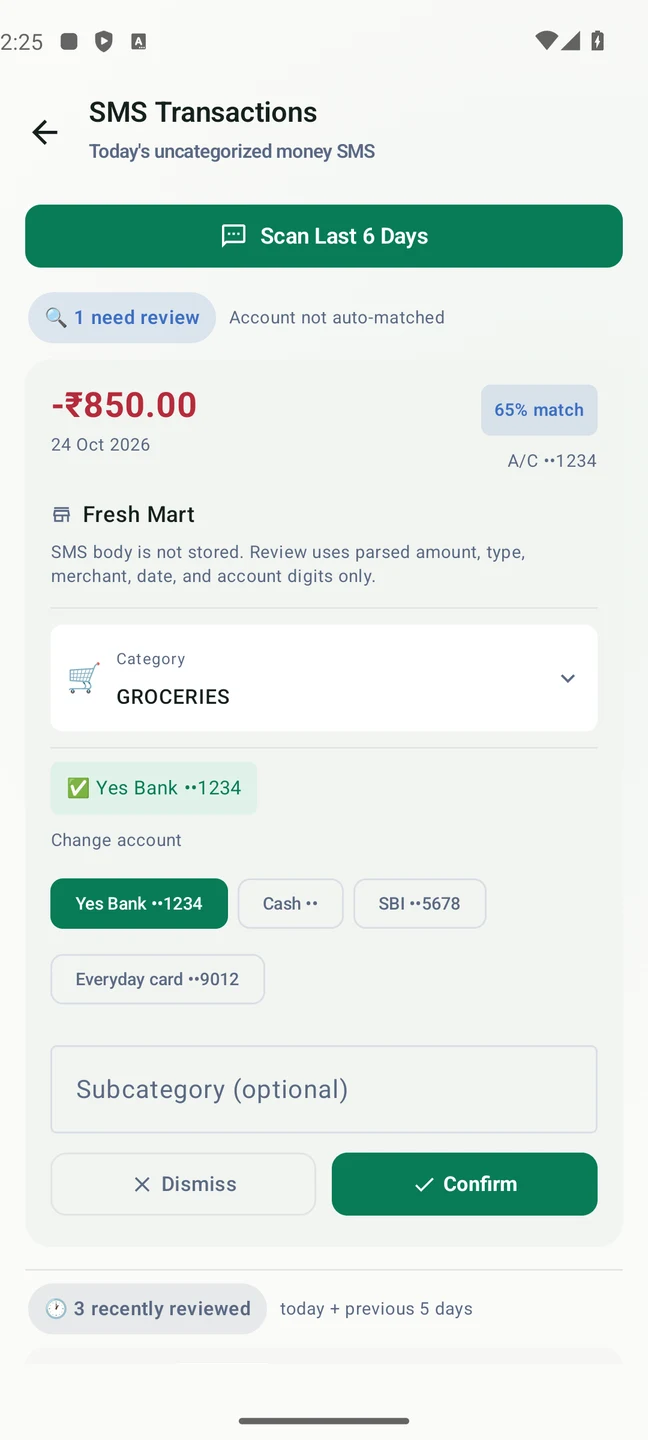
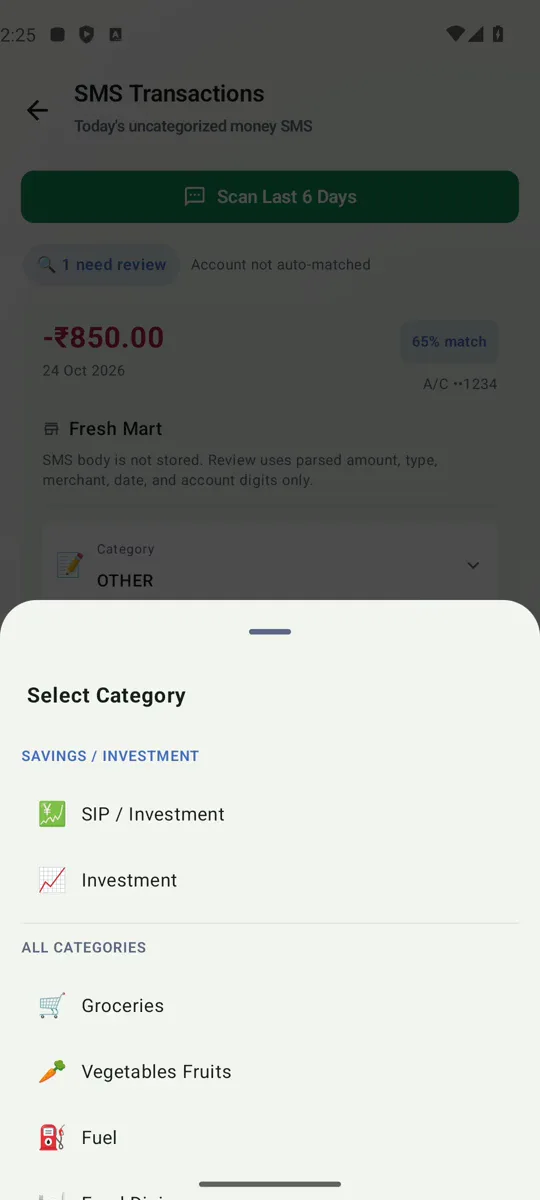
A ₹850 Fresh Mart alert becomes a suggested expense. Check the amount, select Groceries and the right account, then tap Confirm. SMS review is optional.
₹850Parsed on your phone. Confirmed by you.
03 / FIND
Groceries, rent, fuel. Every record has a place.
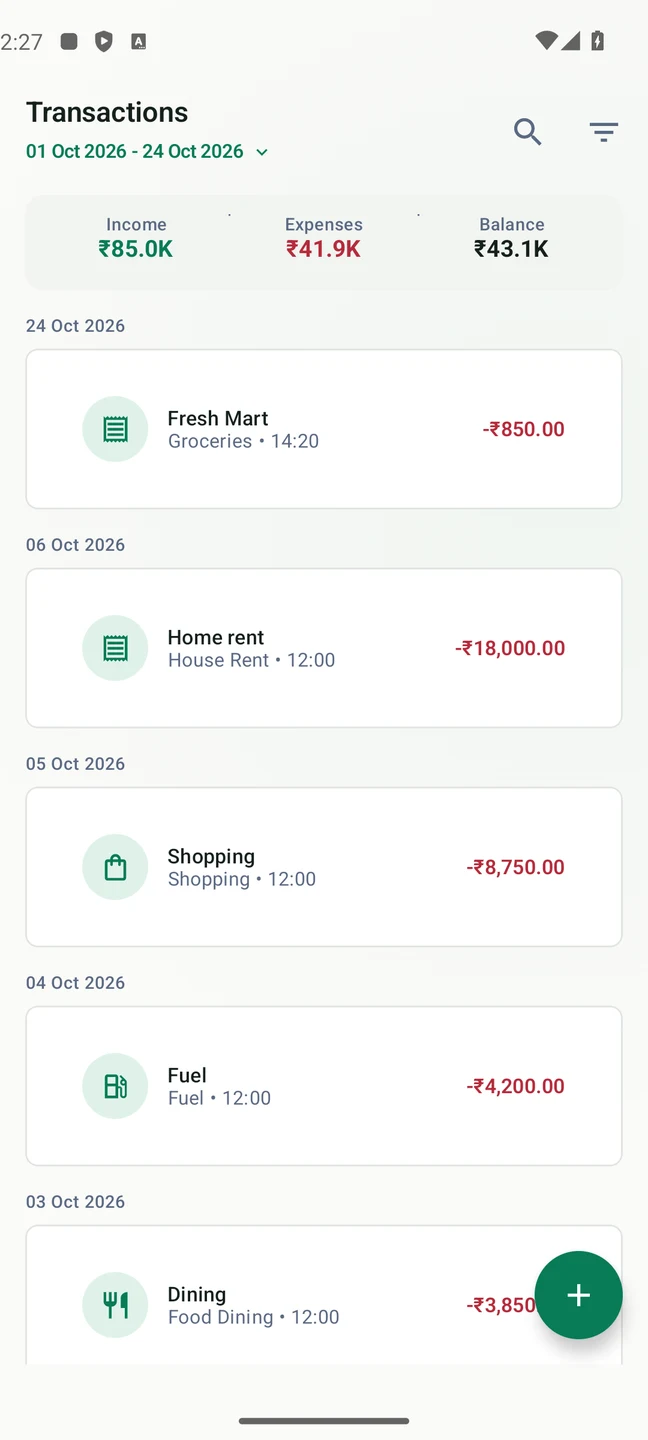
The Fresh Mart payment is now in Transactions, with its category, date and amount. Look back at what you recorded instead of trying to remember every purchase.
One listYour recorded expenses, ready to look back through.
04 / BUDGET
Dinner out? Check what is left first.
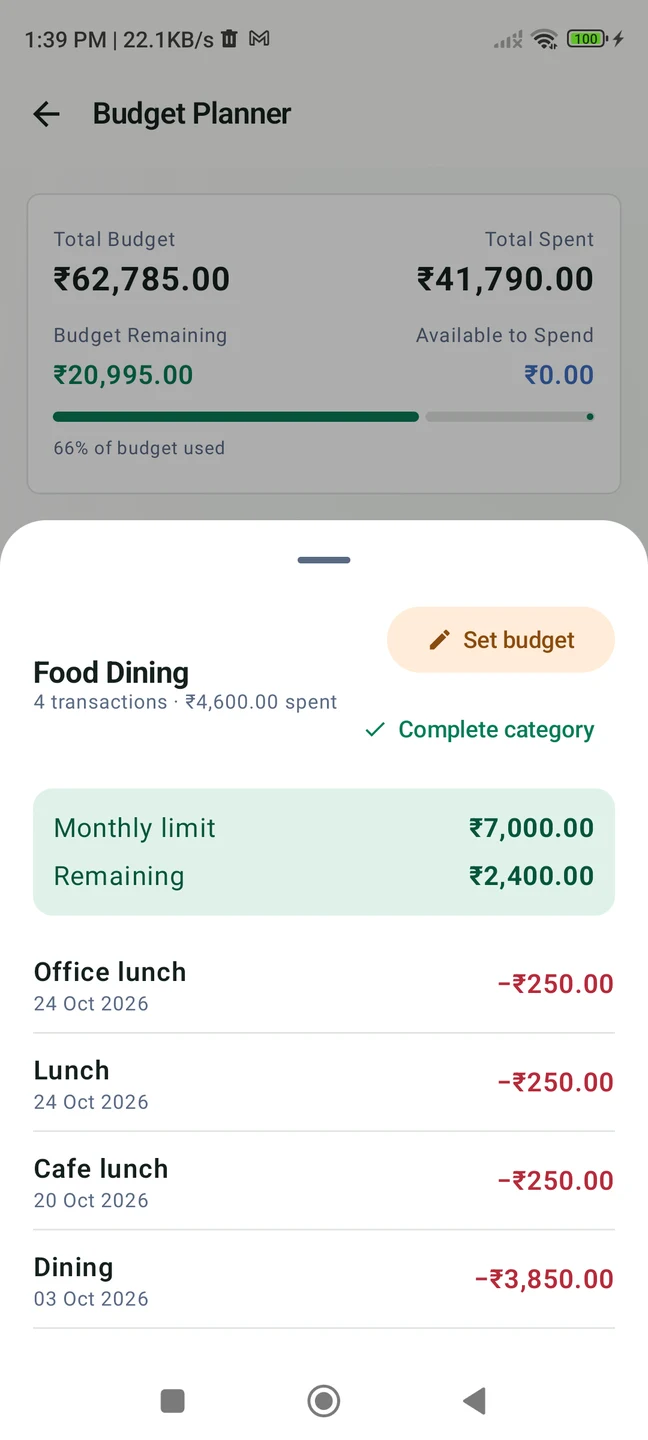
Set ₹7,000 aside for food this month. With ₹4,600 of expenses recorded, MyPaisa shows ₹2,400 remaining. Open the category to see the purchases behind the total.
₹2,400Remaining from a ₹7,000 food budget in this example.
05 / SAVE
The weekend away. Now with a starting point.
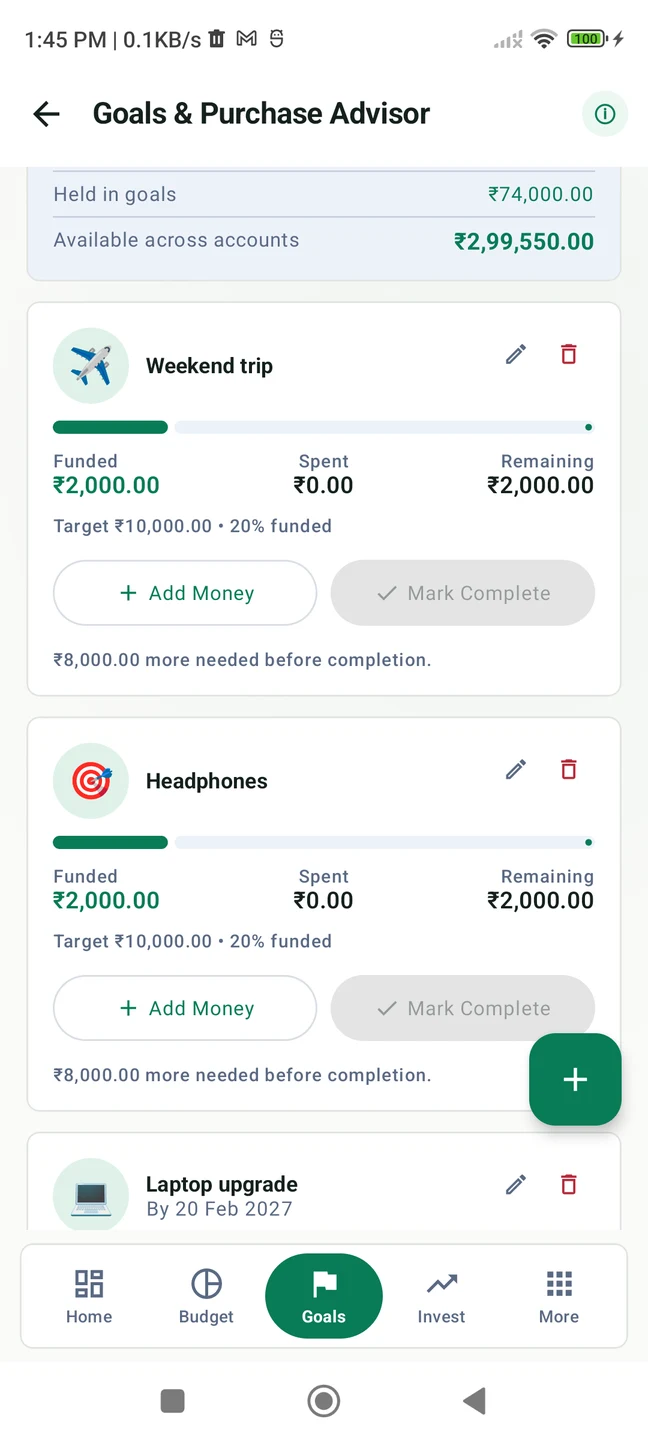
Name the goal, set a ₹10,000 target and record ₹2,000 toward it. The progress bar makes the next contribution easier to put into perspective.
20%₹2,000 recorded toward a ₹10,000 weekend trip.
Captured from MyPaisa running on Android. These are example records, not a connection to your own accounts. Some tools require Pro.
Before the next purchase
“Can I fit it in this month?”
A monthly category total answers a more useful question than a pile of receipts. Set your limit, record what you spend and see how much room remains.
Choose a monthly limit for each category.
Open the category to see its recorded purchases.
Keep an eye on food, fuel, shopping and more.
Food budget₹7,000
Recorded spending− ₹4,600
Still available₹2,400
Illustrative monthly budget. Totals depend on the expenses you record.
For the thing you keep putting off
Give “someday” a name and a number.
A weekend trip. New headphones. An emergency fund. Create a savings goal with a target, then record contributions as you go.
WEEKEND TRIP₹2,000 of ₹10,000One contribution closer.
See it in motion / With English narration
A transaction text becomes a reviewed expense.
A ₹850 grocery payment arrives by SMS. Check its category and account, then confirm it in MyPaisa.
Press play for sound. English captions are available in the player.
Your records & your choices
Keep the tracking on your phone.
Your financial records are stored on your device. Optional SMS processing also happens there; manual entry works without SMS access. You confirm suggested transactions before they become records.
MyPaisa includes a 30-day Pro trial, excluding paid themes. Free basic tools remain available afterward. Lifetime Pro is an optional one-time Google Play purchase; see the app for the current price.
Online services verify trial and Pro access and fetch public market prices. The app has no in-app ads.
Start with your next expense
Know what you spent. Plan what comes next.
Download MyPaisa for Android and give the next lunch, grocery shop or cab ride a place in your records.
MyPaisa tracks the records you enter or confirm. It does not provide banking, payment, lending or trading services.
Do I have to allow SMS access?
No. SMS review is optional. You can record expenses manually without granting SMS access.
Google Play will not open inside Instagram. What can I do?
Use Instagram’s browser menu to open this page in Chrome or another external browser, then tap the download button. You can also search Google Play for MyPaisa by Bhalanetra Labs.
 MyPaisa