Scroll from your collection to the papers, dates and history behind each belonging.
IN THE APPScroll to explore. Or use the arrows.
01 / 05 — Collect
01 / COLLECT
Bought it. Give it a folder.
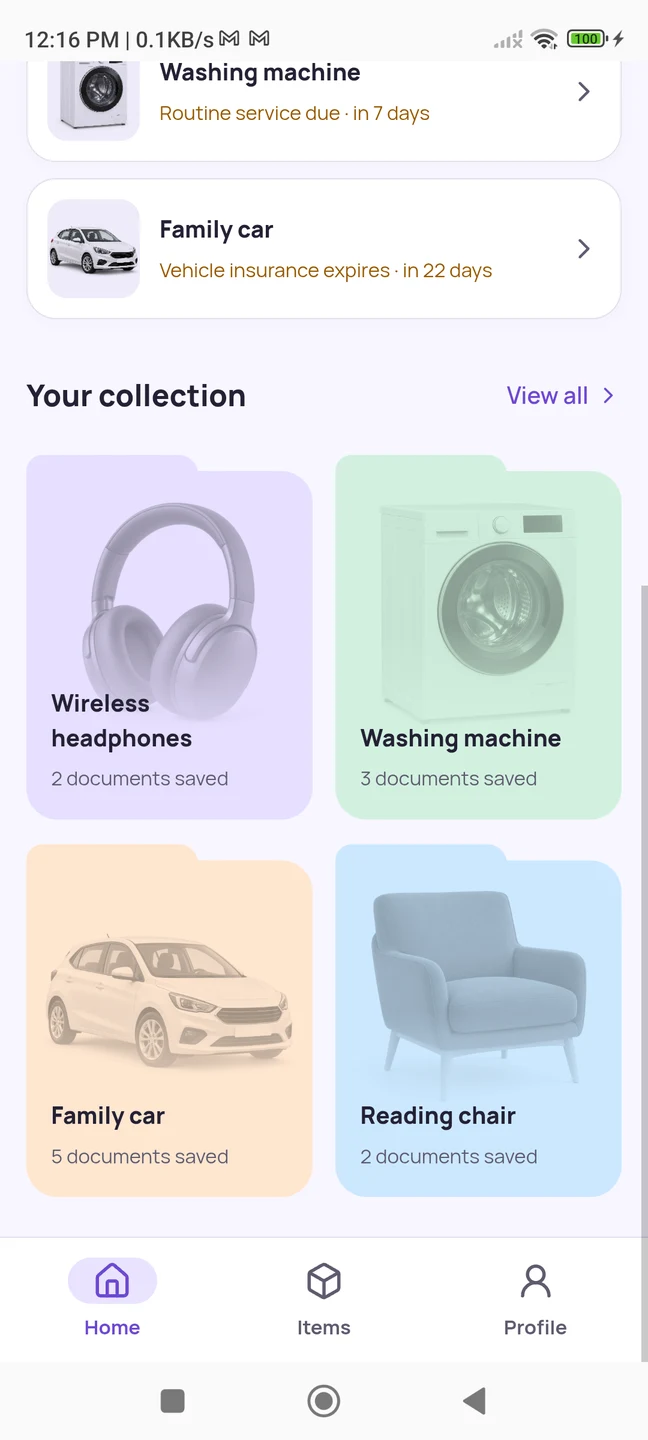
Your headphones, washing machine and family car each get their own place. Add a product photo so the right folder is easy to recognise when you need it.
One itemIts details, original documents and care history together.
02 / KEEP
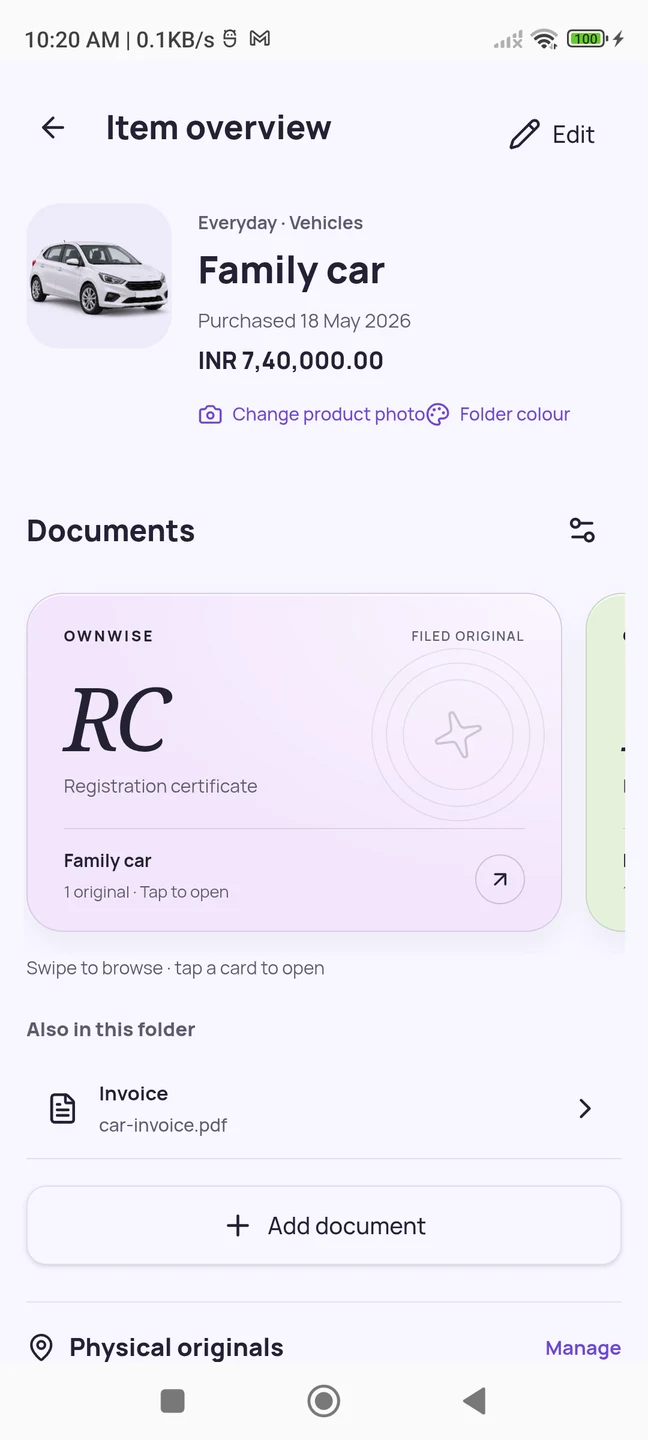
The car is outside. Its papers are right here.
Open Family car to find the registration certificate and invoice. Add insurance and other vehicle papers to the same folder, with the dates you want to track.
RC + moreKeep the original files alongside the vehicle.
03 / REMEMBER
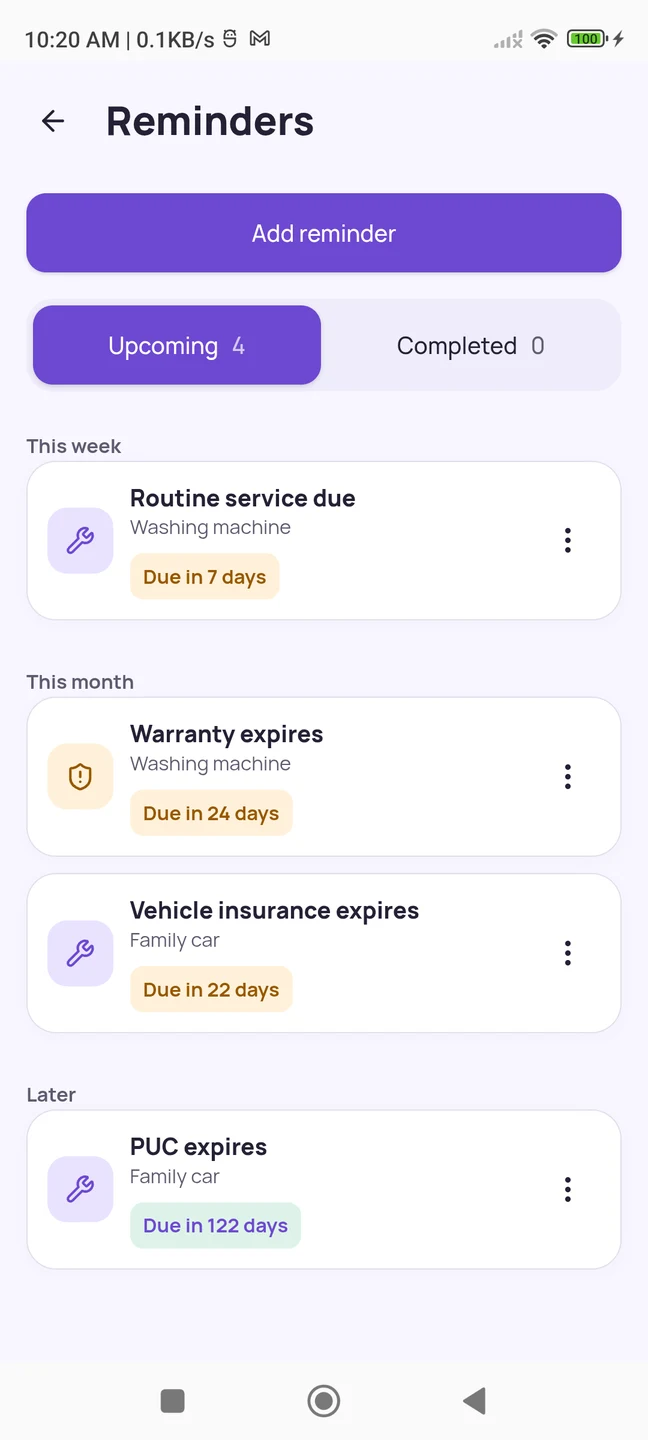
A service date. Before it slips your mind.
Warranty ending? Insurance due? Keep the saved dates in view. Add a next service date and receive reminders when Android notifications are enabled.
14 daysService reminders start two weeks before the saved due date.
04 / CARE
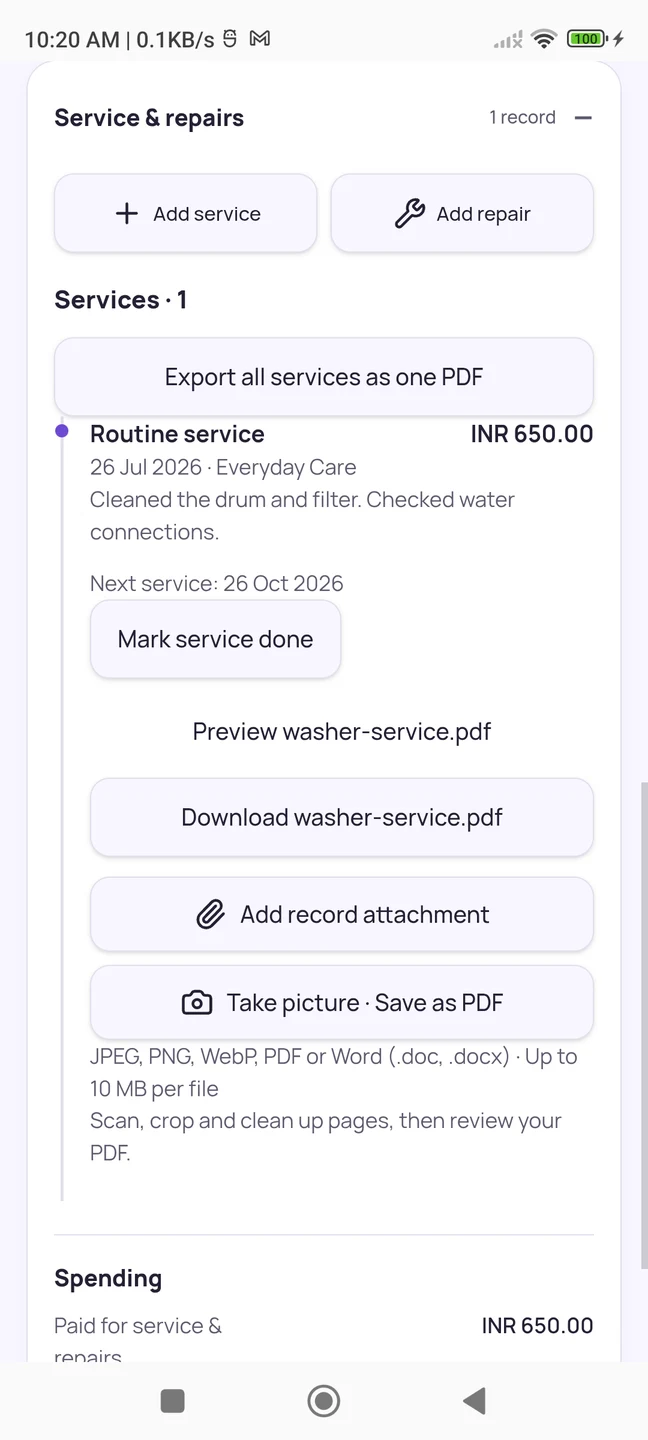
“When was it last serviced?”
The washing machine folder keeps its service date, provider, cost and original report together. With Pro, export the service history as a PDF when you need to share it.
₹650A recorded service visit, with its report attached.
05 / LOCATE
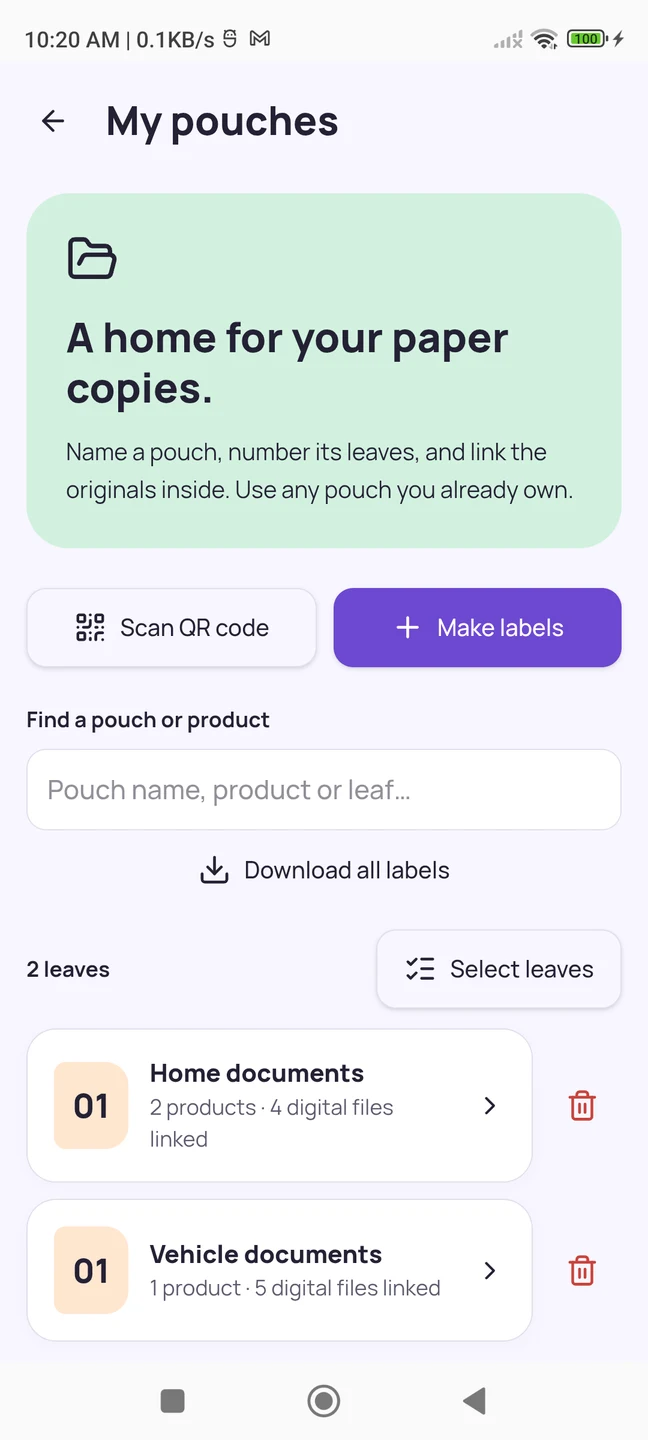
The paper original? Home documents, leaf 01.
Name a physical pouch, number its leaves and link the papers after filing them. Use a private QR label or manual lookup to find the saved location.
Leaf 01Digital records that also remember the paper copy.
Captured from OwnWise running on Android with example records. OwnWise is in development; screens may change before release. Service history and PDF exports require Pro.
A folder you recognise at a glance
Not another list of filenames.
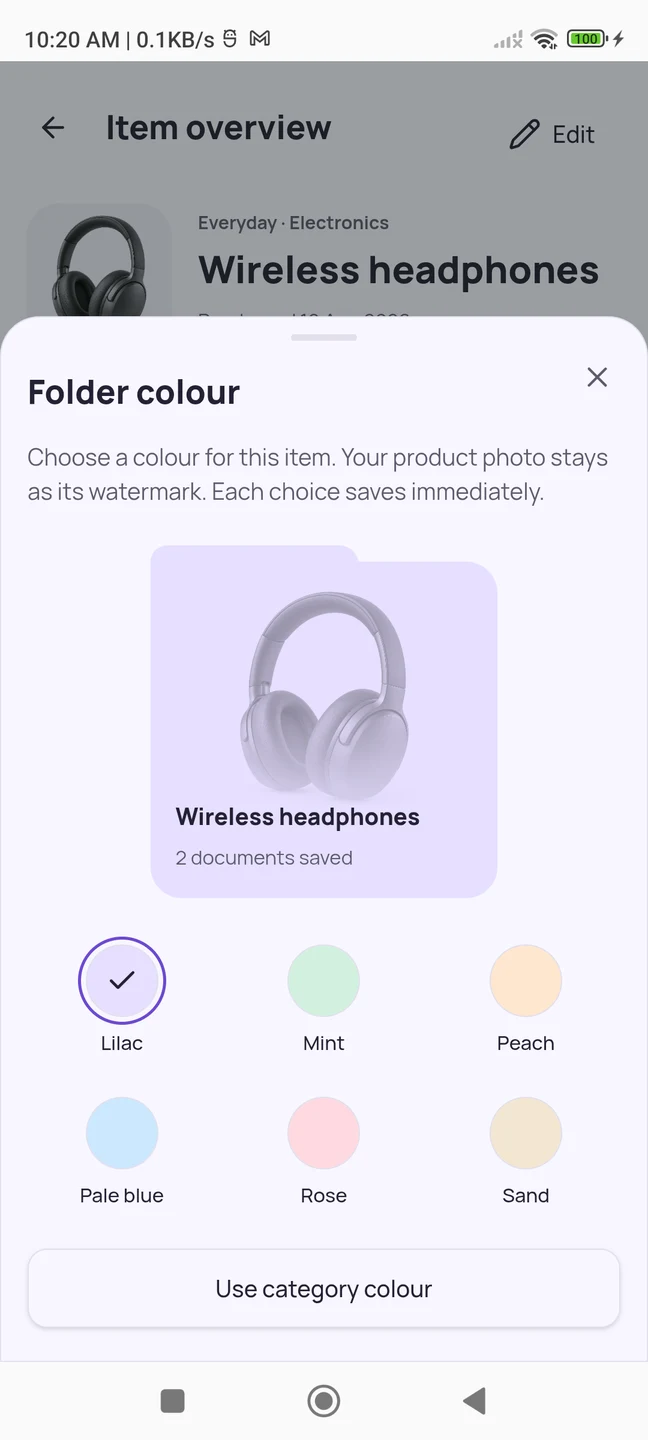
Start with the thing: your headphones, a favourite chair, the washing machine. A photo and a folder colour make it easier to find than an attachment buried in a chat.
Enter the product name, purchase date and category.
Add the invoice and warranty card as originals.
Open saved images, PDFs and Word files in the app.
WIRELESS HEADPHONESYour photo. Your folder.Choose a colour that feels familiar.
The digital file & the paper original
“It is in the documents pouch.” Which leaf?
OwnWise remembers the numbered leaf as well as the file. Confirm where you physically filed the papers, then link the saved documents to that location.
A private QR label looks up records stored in OwnWise. It does not make your documents public. Manual pocket lookup is available too.
The production app will ask you to connect Google and consent to private Drive backups before you begin. Saved changes queue a backup of your collection and original files.
After connection, local records remain available offline. Restore a backup on another phone using the same account. Backup and restore do not provide simultaneous editing across phones.
The free plan is designed for three items, with one invoice and one warranty card per item. Pro adds more items and documents, service and repair records, claim packs, PDF histories and app themes.
The production plan includes a 10-day Pro trial after your first completed Google connection, without payment details or automatic billing. Final availability will be shown at launch.
Coming soon for Android
A home for the things. And all their paperwork.
OwnWise is still in development. Explore the app above, or get in touch with a question for its developer.
A public download will appear here when OwnWise launches.
Can I download OwnWise today?
OwnWise is currently in development. There is no public download link yet. This page shows the app’s current experience with example records.
Does it automatically read and fill in invoice details?
The current Add Item flow uses the product details you enter and confirm. Uploading an invoice keeps the original file; it does not automatically fill in the product details.
Are my paper documents shared through the QR code?
No. QR labels look up local records in OwnWise. They do not publish the document or open arbitrary QR websites.
Will reminders always arrive?
Reminders depend on the dates you save, Android notification permission and the phone’s background and battery settings.
 OwnWise